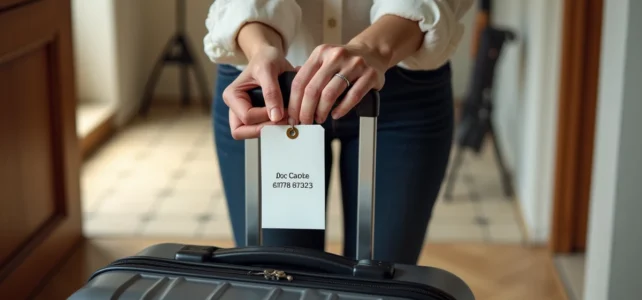
Between the downloadable PDF, the online fillable template, and the electronic tag linked to a smartphone, the options for identifying a suitcase before departure have multiplied. Not all of them are equal in terms of cost, durability, and compatibility with carrier requirements. Comparing these formats allows you to choose the one that truly fits your needs.
PDF luggage tag, online template, or electronic tag: comparison table
The choice of format depends on three variables: price, durability against handling in the hold, and the ability to customize the displayed information. The table below summarizes the differences between the three main categories available.
Read also : Defining Your Property Without Fencing: Tips and Effective Methods to Discover
| Criterion | Printable PDF | Online template (web editor) | Electronic tag (BAGTAG type) |
|---|---|---|---|
| Cost | Free (excluding printing) | Free or a few euros | Several dozen euros (purchase of the device) |
| Customization | Free (design, photos, colors) | Limited to the provided templates | Barcode display, no visual design |
| Durability | Low without lamination | Low without lamination | High (reusable on multiple flights) |
| Carrier compatibility | Accepted if in A4 color format | Variable depending on the template | Limited to certain airlines (SWISS, Lufthansa…) |
| Preparation | Download then print | Online editing then print | Configuration via smartphone app |
The PDF remains the most accessible format for occasional travelers. It simply requires a color printer and an A4 sheet. For those looking for a file ready to fold and laminate at home, the printable PDF luggage tag template on A Fabulous Trip offers exactly this type of downloadable template for free.
The electronic tag, on the other hand, targets a different audience. SWISS presents it as an alternative to the classic paper tag, prepared on a smartphone and linked to online check-in. Its entry cost makes it suitable only for very frequent travelers.
You may also like : Discover Christian Faith and Biblical Teachings to Transform Your Life
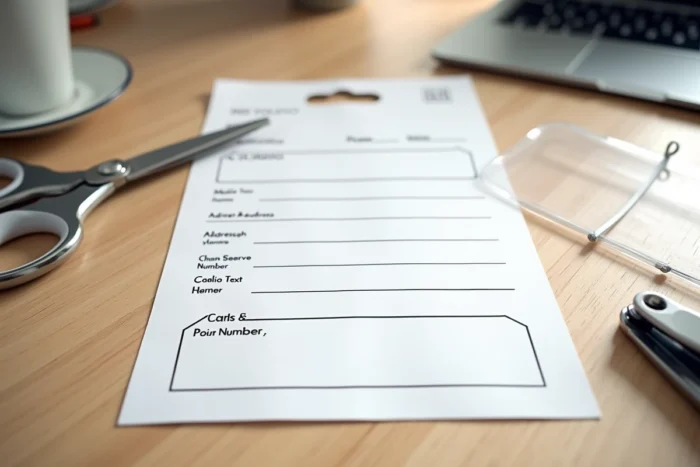
Lamination and attachment: what makes a printed luggage tag last
Printing a PDF is not enough. An unprotected tag deteriorates from the first time it goes through the hold. Moisture, friction against conveyor belts, and repeated handling make the ink unreadable within hours if the paper remains bare.
Home lamination, using a consumer laminator or clear adhesive film, transforms a fragile sheet into a rigid and waterproof support. Air France specifies that the printed luggage tag must be A4 size and in color, then folded in four along the dotted lines to reveal the barcodes on both sides.
Folding method and insertion into a pouch
Folding in four is the standard recommended by airlines that offer home printing. Air France provides free and reusable pouches at the airport to insert the folded tag. This pouch serves as additional protection and prevents the paper from detaching during transport.
- Fold the tag following the printed markers, barcodes visible on both sides
- Laminating before folding if you are not using an airport pouch
- Attach the pouch to the handle with a sturdy tie or a rigid tag holder
- Always remove old barcode tags to avoid confusion during sorting
Removing old tags is a often overlooked gesture. Feedback from travelers indicates that misdirected luggage during transfers still bore an old barcode, which caused routing errors.
Personal data on the tag: what to display and what to mask
There is a strong temptation to fill in all fields: name, first name, full address, phone number, email address. In practice, limiting the information visible from the outside reduces risks related to security.
The name and a phone number are sufficient on the external tag. The full postal address unnecessarily exposes your home, especially if the suitcase circulates on conveyor belts accessible to all passengers.
Internal contact information: double security
Placing a second identification card inside the luggage remains the most reliable practice in case the external tag is lost. This internal document can contain more detailed information (destination address, reservation number, email) without the risk of public exposure.
This approach of double identification (minimal external, complete internal) does not appear in most downloadable templates. A well-designed PDF file should include two areas: one for the outside and one for the inside.

Design customization: real utility or gadget
Choosing bright colors, adding a photo, or a distinctive pattern on a printed luggage tag is not just a matter of aesthetics. On a baggage carousel, a visually unique tag allows you to identify your luggage in seconds.
Free PDF editors allow you to integrate photos, modify fonts, and adjust colors before printing. This level of customization is inaccessible with electronic tags, which are limited to displaying a barcode on a monochrome e-ink screen.
Visual customization also has a practical limit: an overly busy design can obscure contact information or make barcodes less readable by automatic sorting scanners. Prioritizing a light background with contrasting text ensures reliable reading at every stage of the baggage journey.
The downloadable PDF format remains, for the majority of travelers, the best compromise between no cost, free customization, and compatibility with carrier requirements. The only condition: laminate or protect the document before attaching it to the suitcase. Without this step, even the best-designed tag will not survive the first flight.