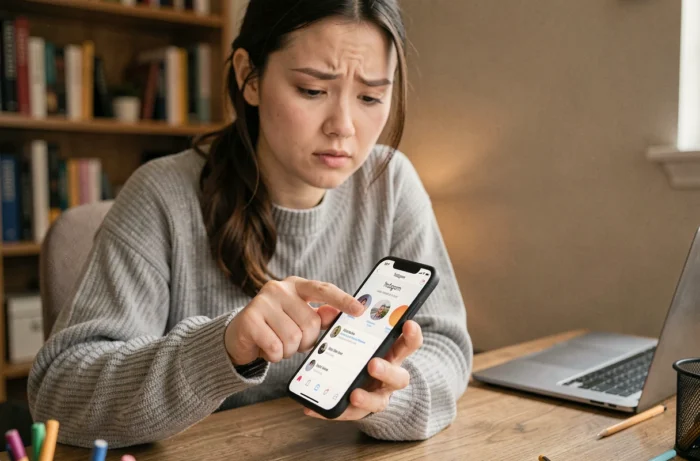
Finding the email address linked to an Instagram account primarily depends on the type of account targeted and your relationship with that account. A public professional profile does not expose its contact details in the same way as a locked personal account. The available methods also vary depending on whether you are looking for your own address (forgotten or changed after a hack) or that of a third party for legitimate contact.
Checking security emails in Meta’s Accounts Center
A rarely discussed angle concerns the security notification verification feature directly within Instagram. When an email address change is made on an account, Instagram sends a message from [email protected] that may contain a “Secure my account” button.
This button allows you to reverse an unauthorized email change, provided you still have access to the old email inbox. These notifications can be viewed in the “Recent emails” section of Instagram’s Accounts Center, which helps distinguish a genuine security email from a phishing attempt.
This feature is particularly useful in two cases: you have forgotten which address is linked to your account, or you suspect that a third party has changed your login email. Before taking any other steps, checking these recent emails in the Accounts Center saves time on more cumbersome methods. To delve deeper into the issue, a detailed guide explains how to find the email of Instagram on Concepteo with the various options available.
Professional account or personal account: methods and results compared
Not all approaches work the same way depending on the type of Instagram profile. The table below summarizes the concrete differences.
| Method | Professional account (public) | Personal account (private) |
|---|---|---|
| “Contact” button on mobile profile | Visible if configured by the owner | Absent |
| Link in bio to a website | Common, often with a contact page | Rare or absent |
| Cross-search LinkedIn or company site | Effective if the company name is visible | Hardly usable |
| Direct request via private message | Possible, messaging usually open | May be restricted to followers |
| Recovery via Accounts Center (own account) | Works | Works |
| Meta identity verification (hacked account) | Selfie video or ID | Selfie video or ID |

The conclusion is clear: a professional account makes the email accessible through several paths, while a personal account leaves almost no openings, unless you are the owner.
The “Contact” button only appears on mobile
A common mistake is to search for the email address of an Instagram profile from a computer. On the desktop version, the “Contact” button (which can directly display an email or phone number) is not visible. Only the mobile app displays the email button for professional accounts.
If the button does not appear on mobile either, the account owner simply has not provided a public contact address.
The link in the bio often leads to a contact form
Professional accounts frequently include a link to a website or a link aggregator (like Linktree). By following this link, you usually access a “Contact” page or a form that contains a usable email address.
Finding the email of your own Instagram account after a hack
The most critical situation is when you lose access to your own account because the associated email address has been changed without your consent. Meta has strengthened recovery procedures in this regard.
- If you still have access to your old email inbox, the security email sent by Instagram contains a reversion link that restores the original address in just a few clicks
- If you no longer have access to any email address linked to the account, Meta offers identity verification via a selfie video compared to photos published on the profile, or by sending an ID
- In both cases, the procedure goes through Instagram’s recovery page or Meta’s Accounts Center, not through a third-party tool
This selfie video verification represents a significant change in Meta’s recovery policy. It allows you to regain access without knowing or controlling the email address currently linked to the account.
Searching for a third party’s email: legal and technical limits
Searching for the email address of an Instagram account that does not belong to you falls under a different framework. Instagram never discloses the private email used to create an account. Only contact details voluntarily made public by the user are accessible.
Email search tools (Hunter, PhantomBuster, and similar) do not retrieve the Instagram login email. They cross-reference public data: displayed name, company name, domain of the website linked to the profile. The result is a probable professional address, not the email of the Instagram account itself.
However, a cross-search between the Instagram profile and a LinkedIn profile or company site can yield a reliable result. If the displayed name on Instagram matches an identifiable person on LinkedIn, the professional email is often accessible via the company page or domain search tools.
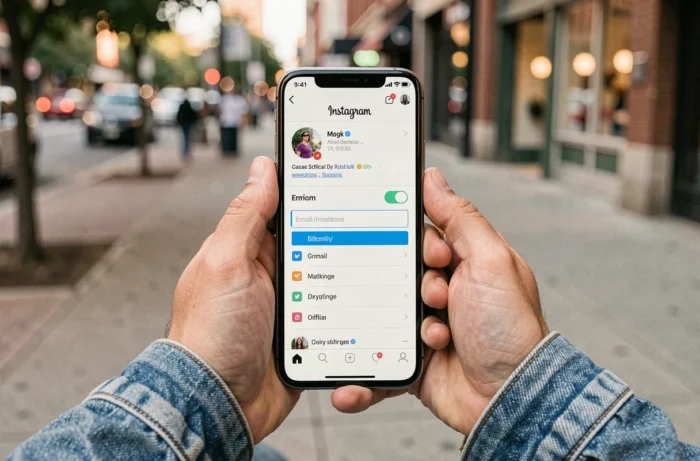
The distinction between public contact email and account login email remains the technical point that many searches confuse. No legal method allows obtaining the login email of a third-party account. Any contrary promise should be considered a scam or a violation of the platform’s terms of use. The only reliable approach to contact someone via their Instagram profile remains to combine the public information from the profile with cross-referencing on other platforms.